

Structure Wizard

Your structure.
Ready to use immediately.

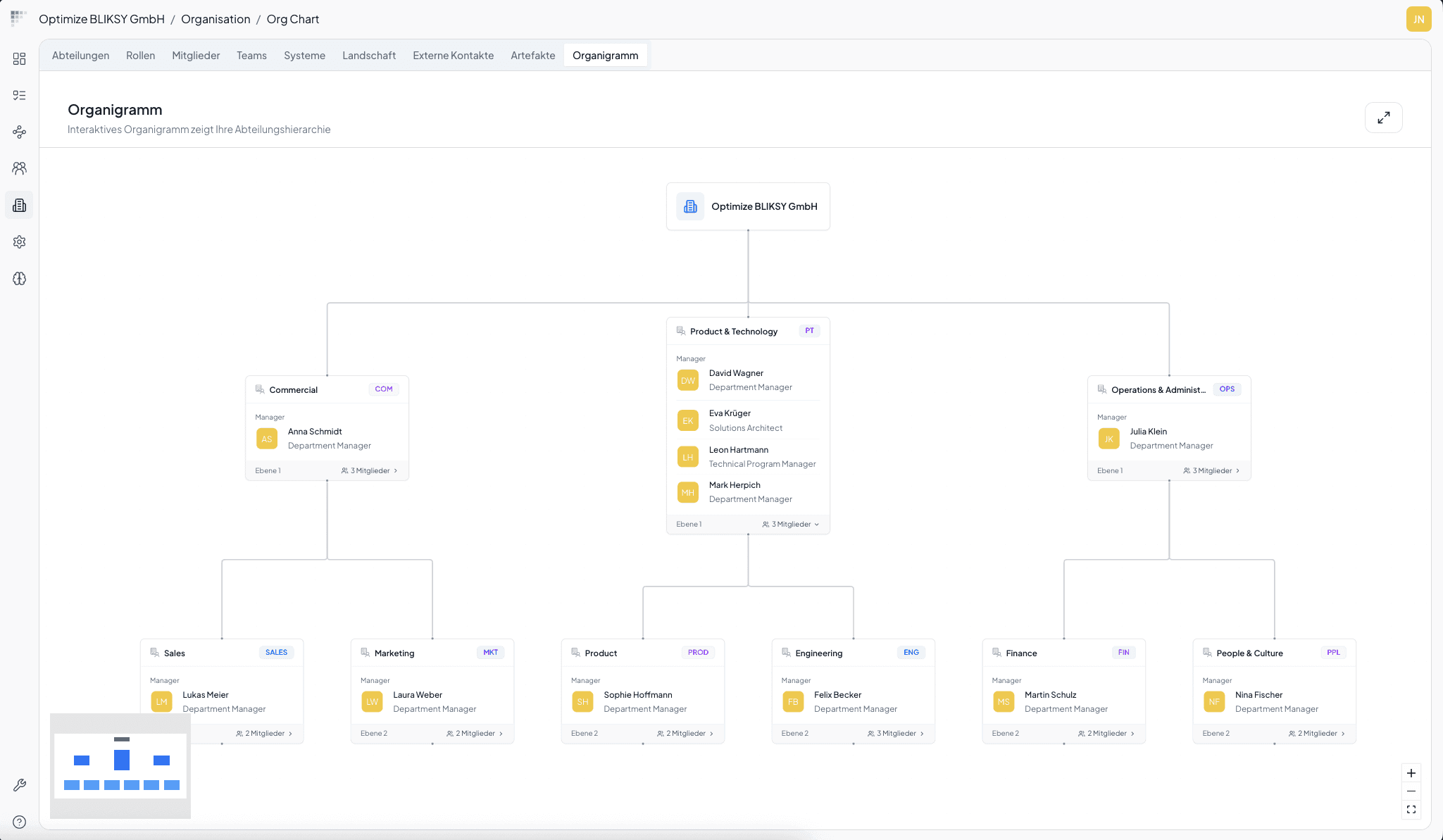
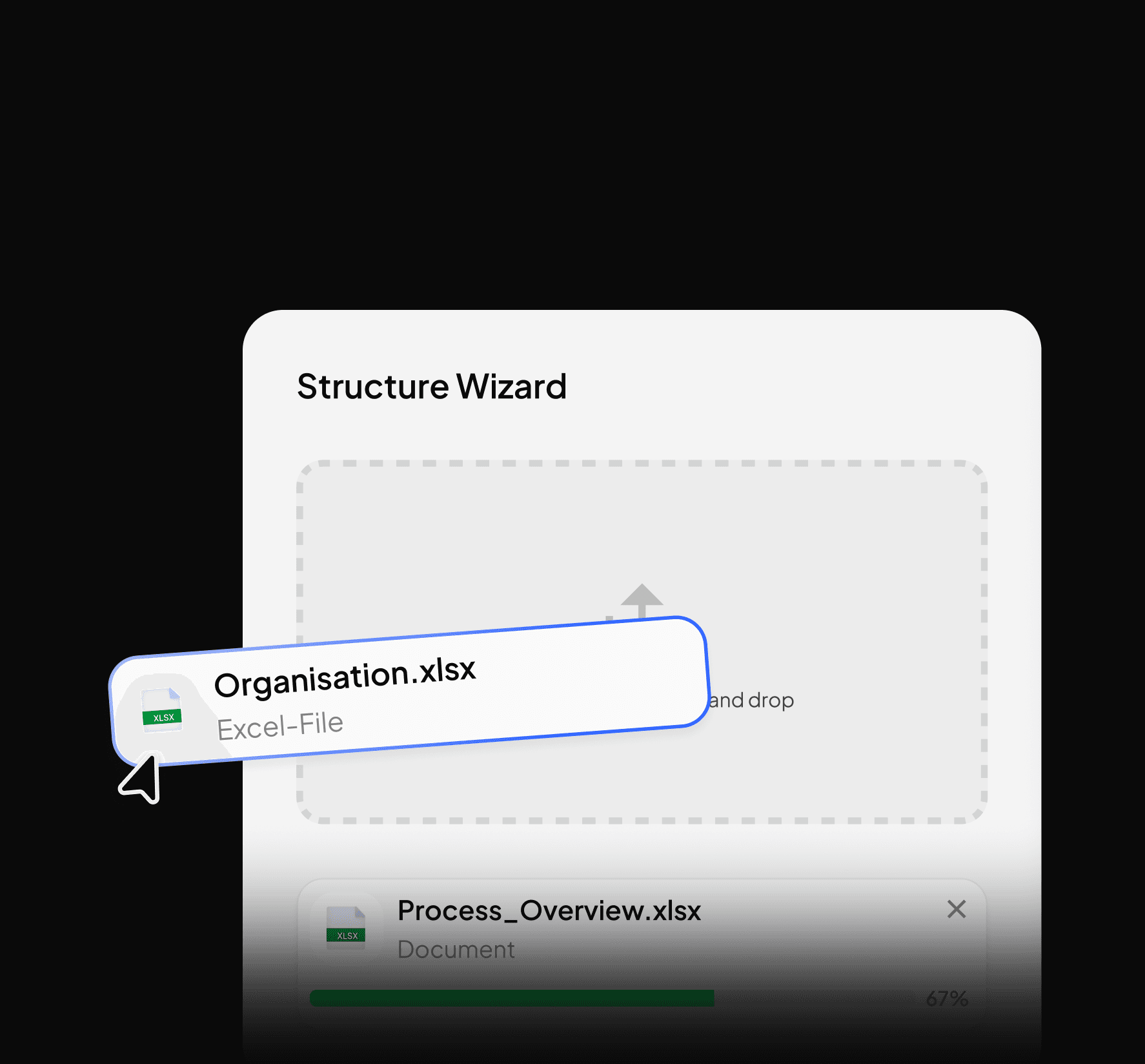
Upload your Excel files. BLIKS IO automatically creates departments, users, roles, and process owners from them and your team can start documenting processes right away.
How it works

Two Excel uploads. Finished setup.

Ready to use in just a few minutes, with no manual data entry.

System settings

Configure basic settings and default options once.

Set up organization

Upload departments, users, and roles via Excel. BLIKS IO automatically handles the structure.

Upload processes

Upload process list – BLIKS IO automatically sets up the structure and responsible parties.
System settings

Configure basic settings and default options once.

The result

The foundation is in place & your team can get started.

The foundation is in place & your team can get started.

All processes are structured and documented. Now your team fills the documentation with real knowledge from day-to-day operations.
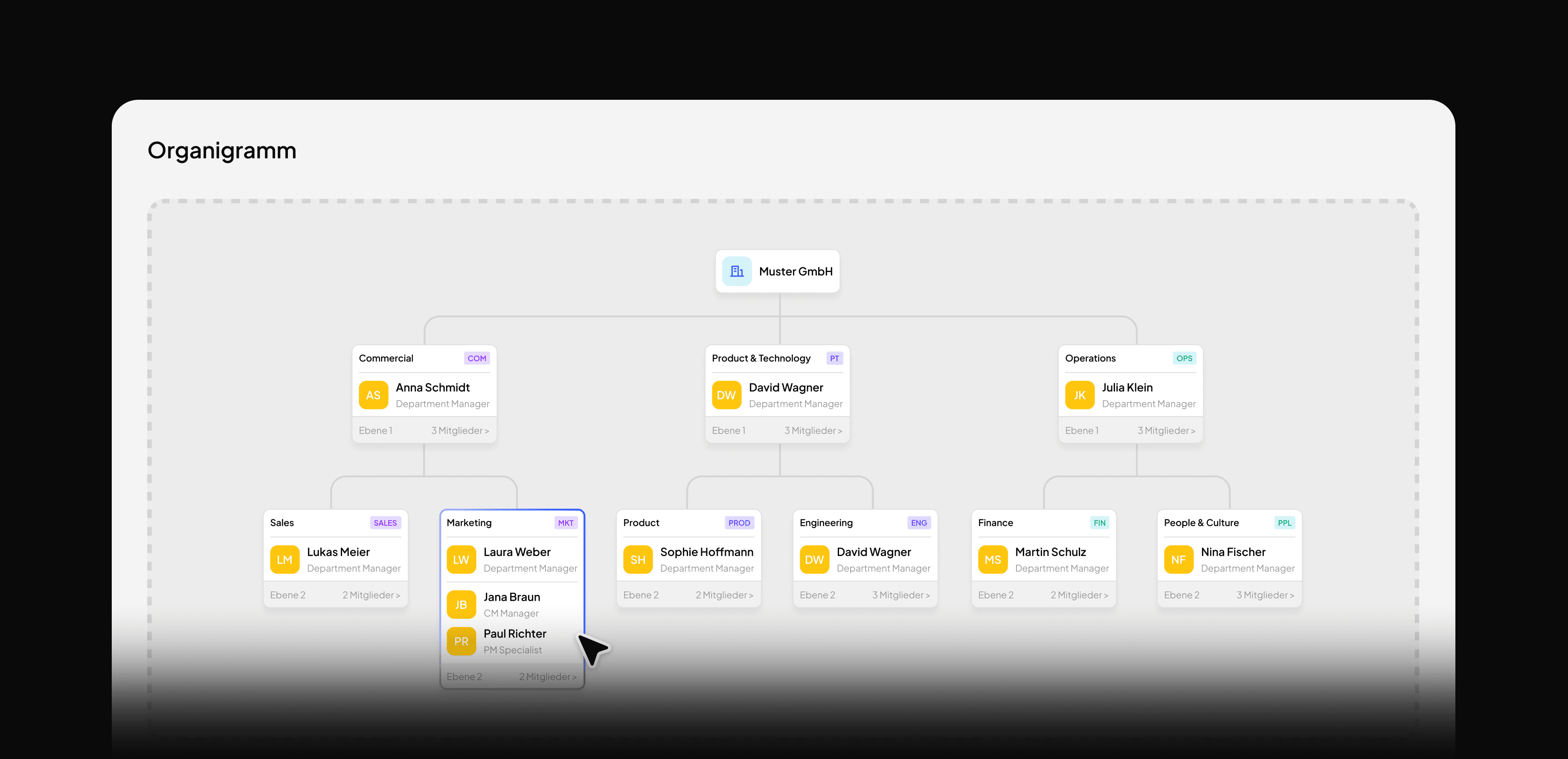
Actual organizational chart

Departments, hierarchies, responsible parties – automatically from your data. Clean. Up to date. Reliable.

A single point of truth

No scattered knowledge, no outdated lists. BLIKS IO is now the one source—for everyone.

Ready to start with Viral Capturing

Processes have been set up, roles assigned. Employees can start decentralized process recording immediately.

FAQ

Questions?
We are here to help you.

Your question is not listed?
No problem. Write to us directly & we will get back to you as soon as possible and find an answer together.

Contact Us

What is the BLIKS IO Structure Wizard?
The Structure Wizard is a guided setup wizard that automatically creates a complete organizational structure from a simple Excel file — with departments, users, roles, and process owners. No IT project, no manual creation.
What data do I need to get started?
Just two Excel files: one with your organizational structure — departments, users, roles — and one with your process names. No finished documentation, no system integration. BLIKS IO handles the rest automatically.
How long does setup with the Structure Wizard take?
Usually 3–5 minutes. The wizard guides you through a few simple steps, progress is saved, and you can pause and return at any time.
What happens to my processes after setup?
After setup, all processes are stored as a structure and owners are assigned — but there is still no content. In the next step, your employees capture their actual workflows in a decentralized way via the Viral Process Capture. This creates the digital twin of your organization.

BLIKS IO

Operative Realität. Digital Erfasst.

BLIKS IO

Operative Realität. Digital Erfasst.

Logo